
The Modern .NET Developer in 2026: From Code Writer to System Builder

There was a time when being a .NET developer mostly meant writing solid C# code, building APIs, and shipping features. If the application worked and the database queries were fast enough, the job was done.

That world is gone.

In 2026, a modern .NET developer isn’t just a coder. They’re a system builder, balancing application development, cloud architecture, DevOps, security, and increasingly, AI-driven decisions.

One Feature, Many Disciplines

Consider a typical modern feature:

  • A scheduled job populates data into a database.
  • That data feeds reporting tools like Power BI.
  • Deployment pipelines push updates across environments worldwide.
  • Cloud services scale automatically under load.
  • Monitoring and security controls are part of the delivery.

One feature now touches multiple domains. Delivering it requires understanding infrastructure, automation, data, deployment, and operations—not just application logic.

The scope of the role has expanded dramatically.

Fundamentals Still Matter

Despite all the change, the core skills haven’t disappeared.

Developers still need to:

  • Build REST APIs that handle real-world load
  • Write efficient Entity Framework queries
  • Understand async/await and concurrency
  • Maintain clean, maintainable codebases

Bad fundamentals still break systems, regardless of how modern the infrastructure is.

But fundamentals alone are no longer enough.
Cloud Decisions Are Now Developer Decisions

In many teams, developers now influence—or directly make—architecture decisions:

  • Should this workload run in App Service, Containers, or Functions?
  • Should data live in SQL Server or Cosmos DB?
  • Do we need messaging via Service Bus or event-driven patterns?

These choices affect cost, scalability, reliability, and operational complexity. Developers increasingly need architectural awareness, not just coding ability.

DevOps Is Part of the Job

Deployment is no longer someone else’s responsibility.

Modern developers are expected to:

  • Build CI/CD pipelines that deploy automatically
  • Containerize services using Docker
  • Ensure logs, metrics, and monitoring are available
  • Support production reliability

The boundary between development and operations has largely disappeared.

Security Is Developer-Owned

Security has shifted left.

Developers now regularly deal with:

  • OAuth and identity flows
  • Microsoft Entra ID integration
  • Secure data handling
  • API protection and access control

Security mistakes are expensive, and modern developers are expected to understand the implications of their implementations.

AI Changes How We Work

Another shift is happening quietly.

In the past, developers searched for how to implement something. Today, AI tools increasingly help answer higher-level questions:

  • What are the long-term tradeoffs of this architecture?
  • How will this scale?
  • What operational risks am I introducing?

The developer’s role moves from solving isolated technical problems to designing sustainable systems.

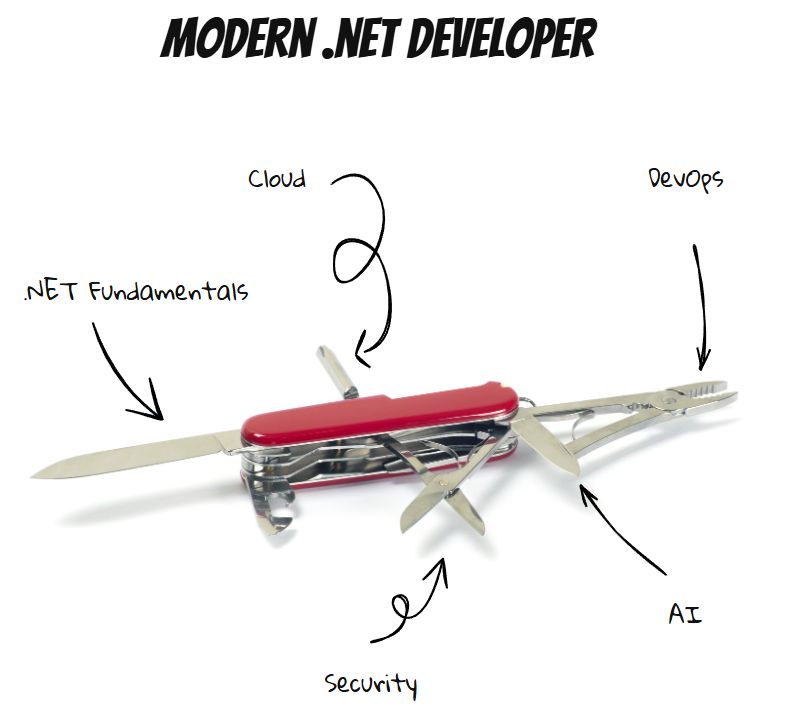
From Specialist to Swiss Army Knife

The modern .NET developer is no longer just a backend specialist. They are expected to be adaptable:

  • Application developer
  • Cloud architect
  • DevOps contributor
  • Security implementer
  • Systems thinker

Not every developer must master every area—but awareness across domains is increasingly required.

The New Reality

The job has evolved from writing features to building systems.

And while that can feel overwhelming, it’s also exciting. Developers now influence architecture, scalability, reliability, and user experience at a system-wide level.

The industry hasn’t just changed what we build.

It’s changed what it means to be a developer.

And in 2026, being versatile isn’t optional—it’s the job.

WordPress on Azure Container Apps (ACA)

Architecture, Backup, and Recovery Design

1. Overview

This document describes the production architecture for WordPress running on Azure Container Apps (ACA) with MariaDB, including backup, recovery, monitoring, and automation. The design prioritizes:

  • Low operational overhead
  • Cost efficiency
  • Clear separation of concerns
  • Fast, predictable recovery
  • No dependency on VM-based services or Backup Vault

This architecture is suitable for long-term operation (multi‑year) with minimal maintenance.


2. High-Level Architecture

Core Components

  • Azure Container Apps Environment
    • Hosts WordPress and MariaDB container apps
  • WordPress Container App (ca-wp)
    • Apache + PHP WordPress image
    • Stateless container
    • Persistent content via Azure Files
  • MariaDB Container App (ca-mariadb)
    • Dedicated container app
    • Internal-only access
    • Database for WordPress
  • Azure Files (Storage Account: st4wpaca)
    • File share: wpcontent
    • Mounted into WordPress container
    • Stores plugins, themes, uploads, logs
  • Azure Blob Storage
    • Stores MariaDB logical backups (.sql.gz)

3. Data Persistence Model

WordPress Files

  • wp-content directory is mounted to Azure Files
  • Includes:
    • Plugins
    • Themes
    • Uploads
    • Logs (debug.log)

Database

  • MariaDB runs inside its own container
  • No local persistence assumed
  • Database durability ensured via daily logical backups

4. Backup Architecture

4.1 WordPress Files Backup (Primary)

Method: Azure Files Share Snapshots

  • Daily snapshots of wpcontent file share
  • Snapshot creation automated via Azure Automation Runbook
  • Retention enforced (e.g., 14 days)

Why this works well:

  • Instant snapshot creation
  • Very fast restore
  • Extremely low cost
  • No application involvement

4.2 MariaDB Backup (Primary)

Method: Logical database dumps (mysqldump)

  • Implemented via Azure Container App Jobs
  • Backup job runs on schedule (daily)
  • Output compressed SQL file
  • Stored in Azure Blob Storage

Additional Jobs:

  • Cleanup job to enforce retention
  • Restore job for controlled database recovery

4.3 Backup Automation

Azure Automation Account (aa-wp-backup)

  • Central automation control plane
  • Uses system-assigned managed identity
  • Hosts multiple runbooks:
    • Azure Files snapshot creation
    • Snapshot retention cleanup

Key Vault Integration:

  • Secrets stored in kv-tanolis-app
    • Storage account key
    • MariaDB host
    • MariaDB user
    • MariaDB password
    • MariaDB database name
  • Automation and jobs retrieve secrets securely

5. Restore Scenarios

Scenario 1: Restore WordPress Files Only

Use case:

  • Plugin or theme deletion
  • Media loss

Steps:

  1. Select Azure Files snapshot for wpcontent
  2. Restore entire share or specific folders
  3. Restart WordPress container app

Scenario 2: Restore Database Only

Use case:

  • Content corruption
  • Bad plugin update

Steps:

  1. Download appropriate SQL backup from Blob
  2. Execute restore job or import via MariaDB container
  3. Restart WordPress container
  4. Save permalinks in WordPress admin

Scenario 3: Full Site Restore

Use case:

  • Major failure
  • Security incident
  • Rollback to known-good state

Steps:

  1. Restore Azure Files snapshot
  2. Restore matching MariaDB backup
  3. Restart WordPress container
  4. Validate site and permalinks

6. Monitoring & Alerting

Logging

  • Azure Container Apps logs
  • WordPress debug log (wp-content/debug.log)

Alerts

  • MariaDB backup job failure alert
  • Container restart alerts
  • Optional resource utilization alerts

External Monitoring

  • HTTP uptime checks for site availability

7. Security Considerations

  • No public access to MariaDB container
  • Secrets stored only in Azure Key Vault
  • Managed Identity used for automation
  • No credentials embedded in scripts
  • Optional IP restrictions for /wp-admin

8. Cost Characteristics

  • Azure Files snapshots: very low cost (delta-based)
  • Azure Blob backups: pennies/month
  • Azure Automation: within free tier for typical usage
  • No Backup Vault protected-instance fees

Overall cost remains low single-digit USD/month for backups.


9. Operational Best Practices

  • Test restore procedures quarterly
  • Keep file and DB backups aligned by date
  • Maintain at least 7–14 days retention
  • Restart WordPress container after restores
  • Document restore steps for operators

10. Summary

This architecture delivers:

  • Reliable backups without over-engineering
  • Fast and predictable recovery
  • Minimal cost
  • Clear operational boundaries
  • Long-term maintainability

It is well-suited for WordPress workloads running on Azure Container Apps and avoids VM-centric or legacy backup models.

How Azure Handles Large File Uploads: From Blob Storage to Event-Driven Processing (and What Breaks at 2AM)

Uploading a large file to Azure sounds simple — until you need to process it reliably, at scale, with retries, alerts, and zero surprises at 2AM.

This article walks through how Azure actually handles large file uploads, using a 10-GB video as a concrete example, and then dives into real-world failure modes that show up only in production.

We’ll cover:

  • How Azure uploads large files safely
  • When and how events are emitted
  • How Functions and queues fit together
  • Why retries and poison queues exist
  • What silently breaks when nobody is watching

Azure Blob Storage: Large Files, Small Pieces

Azure Blob Storage supports extremely large files — but never uploads them in a single request.

Most files are stored as block blobs, which are composed of many independently uploaded blocks.

Block blob limits (the important ones)

  • Max block size: 4 GiB
  • Max blocks per blob: 50,000
  • Max blob size: ~190 TiB

Example: Uploading a 10-GB video

A 10-GB video is uploaded as:

  • Block 1: 4 GB
  • Block 2: 4 GB
  • Block 3: ~2 GB

Each block is uploaded with Put Block, and once all blocks are present, a final Put Block List call commits the blob.

Key insight: Blocks are an upload implementation detail. Once committed, the blob is treated as a single file.

Client tools like AzCopy, Azure SDKs, and Storage Explorer handle this chunking automatically.


When Does Azure Emit an Event?

Uploading blocks does not trigger processing.

Events are emitted only after the blob is fully committed.

This is where Azure Event Grid comes in.

BlobCreated event flow

  1. Final Put Block List completes
  2. Blob Storage emits a BlobCreated event
  3. Event Grid routes the event to subscribers

Important: Event Grid fires once per blob, not once per block.

This guarantees downstream systems never see partial uploads.


Azure Functions: Reacting to Blob Uploads

Azure Functions does not poll Blob Storage in modern designs. Instead, it reacts to events.

Two trigger models (only one you should use)

  • Event Grid trigger (recommended)
    Push-based, near real-time, scalable
  • Classic Blob trigger (legacy)
    Polling-based, slower, less predictable

In production architectures, Event Grid–based triggers are the standard.


Why Queues Are Inserted into the Pipeline

Direct processing works — until load increases or dependencies slow down.

This is why many designs add a queue:

Azure Storage Queue

Blob uploaded
   ↓
Event Grid event
   ↓
Azure Function
   ↓
Message written to queue

Queues provide:

  • Backpressure
  • Retry handling
  • Isolation between ingestion and processing
  • Protection against traffic spikes

Visibility Timeouts: How Retries Actually Work

Storage queues don’t use acknowledgments. Instead, they rely on visibility timeouts.

What is a visibility timeout?

When a worker dequeues a message:

  • The message becomes invisible for a configured period
  • If processing succeeds → message is deleted
  • If processing fails → message becomes visible again

Each retry increments DequeueCount.

This is the foundation of retry behavior in Azure Storage Queues.


Poison Queues: When Retries Must Stop

Retries should never be infinite.

With Azure Functions + Storage Queues:

  • Once maxDequeueCount is exceeded
  • The message is automatically moved to: <queue-name>-poison

Poison queues:

  • Prevent endless retry loops
  • Preserve failed messages for investigation
  • Enable alerting and replay workflows

Failure Modes: “What Breaks at 2AM?”

This is where systems separate happy-path demos from production-ready architectures.

Most failures don’t look like outages — they look like silent degradation.


1️⃣ Event Grid Delivery Failures

Symptom: Blob exists, but processing never starts.

Cause

  • Subscription misconfiguration
  • Endpoint unavailable
  • Permission or auth issues

Mitigation

  • Enable Event Grid dead-lettering
  • Monitor delivery failure metrics
  • Build replay logic

2AM reality: Files are uploaded — nothing processes them.


2️⃣ Duplicate Event Delivery

Symptom: Same file processed twice.

Why
Event Grid guarantees at-least-once delivery, not exactly-once.

Mitigation

  • Idempotent processing
  • Track blob names, ETags, or IDs
  • Reject duplicates at the application layer

2AM reality: Duplicate records, duplicate invoices, duplicate emails.


3️⃣ Function Timeouts on Large Files

Symptom: Processing restarts or never completes.

Cause

  • Large file downloads
  • CPU-heavy transformations
  • Insufficient plan sizing

Mitigation

  • Increase visibility timeout
  • Stream blobs instead of loading into memory
  • Offload heavy work to batch or container jobs

2AM reality: Queue backlog grows quietly.


4️⃣ Queue Backlog Explosion

Symptom: Queue depth grows uncontrollably.

Cause

  • Ingestion spikes
  • Downstream throttling
  • Scaling limits

Mitigation

  • Monitor queue length and age
  • Scale consumers
  • Add rate limiting or backpressure

2AM reality: Customers ask why files are “stuck.”


5️⃣ Poison Queue Flood

Symptom: Many messages land in -poison.

Cause

  • Bad file formats
  • Schema changes
  • Logic bugs

Mitigation

  • Alert on poison queue count > 0
  • Log full failure context
  • Build replay workflows

2AM reality: Work is failing — but nobody is alerted.


6️⃣ Storage Cost Spikes from Retries

Symptom: Azure Storage bill jumps unexpectedly.

Cause

  • Short visibility timeouts
  • Repeated blob downloads
  • Excessive retries

Mitigation

  • Tune visibility timeouts
  • Cache progress
  • Monitor transaction counts, not just data size

2AM reality: Finance notices before engineering does.


7️⃣ Partial or Corrupted Uploads

Symptom: Function triggers but input file is invalid.

Cause

  • Client aborted uploads
  • Corrupted block lists
  • Non-atomic upload logic

Mitigation

  • Validate file size and checksum
  • Enforce minimum size thresholds
  • Delay processing until integrity checks pass

8️⃣ Downstream Dependency Failures

Symptom: Upload succeeds — final destination fails (SharePoint, APIs, DBs).

Mitigation

  • Exponential backoff
  • Dead-letter after max retries
  • Store intermediate results for replay

2AM reality: Azure is healthy — the external system isn’t.


9️⃣ Silent Failure (The Worst One)

Symptom: System is broken — nobody knows.

Fix
Monitor:

  • Function failure rates
  • Queue depth and age
  • Poison queue counts
  • Event Grid delivery failures

Final Takeaway

Large files in Azure Blob Storage are uploaded in blocks, but Event Grid emits a single event only after the blob is fully committed. Azure Functions react to that event, often enqueueing work for durable processing. Visibility timeouts handle retries, poison queues stop infinite failures, and production readiness depends on designing for duplicate events, backlogs, cost creep, and observability — not just the happy path.

When Azure AD Claims Aren’t Enough: Issuing Your Own JWT for Custom Authorization

Modern applications often start with Azure AD (now Microsoft Entra ID) for authentication—and for good reason. It’s secure, battle-tested, and integrates seamlessly with Azure-native services.

But as systems grow, teams frequently hit a wall:

“We can authenticate users, but we can’t express our authorization logic cleanly using Entra ID claims alone.”

At that point, one architectural pattern comes into focus:

Validating the Azure AD token, then issuing your own application-specific JWT.

This post explains when this strategy makes sense, when it doesn’t, and how to implement it responsibly.


The Problem: Identity vs Authorization Drift

Azure AD excels at answering one question:

Who is this user?

It does this using:

  • App roles
  • Group membership
  • Scopes
  • Optional claims

However, real-world authorization often depends on things Azure AD cannot evaluate:

  • Data stored in your application database
  • Tenant-specific permissions
  • Feature flags or subscription tiers
  • Time-bound or contextual access rules
  • Row-level or domain-specific authorization logic

Trying to force this logic into Entra ID frequently leads to:

  • Role explosion
  • Overloaded group membership
  • Fragile claim mappings
  • Slow iteration cycles

This is where many systems start to creak.


The Strategy: Token Exchange with an Application-Issued JWT

Instead of overloading Azure AD, you introduce a clear trust boundary.

High-level flow

  1. User authenticates with Azure AD
  2. Client receives an Azure-issued access token
  3. Your API fully validates that token
  4. Your API issues a new, short-lived JWT containing:
    • Application-specific claims
    • Computed permissions
    • Domain-level roles
  5. Downstream services trust your issuer, not Azure AD directly

This is often referred to as:

  • Token exchange
  • Backend-for-Frontend (BFF) token
  • Application-issued JWT

It’s a well-established pattern in enterprise and government systems.


Why This Works Well

1. Azure AD handles authentication; your app handles authorization

This separation keeps responsibilities clean:

  • Azure AD → Identity proof
  • Your API → Business authorization

You avoid pushing business logic into your identity provider, where it doesn’t belong.


2. You can issue dynamic, computed claims

Your API can:

  • Query databases
  • Apply complex logic
  • Evaluate tenant state
  • Calculate effective permissions

Azure AD cannot do this—and shouldn’t.


3. Downstream services stay simple

Instead of every service needing to understand:

  • Azure tenants
  • Scopes vs roles
  • Group semantics

They simply trust:

  • Your issuer
  • Your claim contract

This dramatically simplifies internal service authorization.


4. Identity provider portability

If you later introduce:

  • Entra B2C
  • A second tenant
  • External identity providers

Your internal JWT remains the stable contract.
Only the validation layer changes.


When This Is Overkill

This pattern is not always the right choice.

Avoid it if:

  • App roles and groups already express your needs
  • Authorization rules are static
  • You don’t have downstream services
  • You want minimal operational overhead

A second token adds complexity—don’t add it unless it earns its keep.


Security Rules You Must Follow

If you issue your own JWT, there are no shortcuts.

1. Fully validate the Azure token

Always validate:

  • Signature
  • Issuer
  • Audience
  • Expiration
  • Required scopes or roles

If you skip any of these, the pattern collapses.


2. Keep your token short-lived

Best practice:

  • 5–15 minute lifetime
  • No refresh tokens (unless explicitly designed)

Azure AD should remain responsible for session longevity.


3. Protect and rotate signing keys

  • Use a dedicated signing key
  • Store it securely (Key Vault)
  • Rotate it regularly
  • Publish JWKS if multiple services validate your token

Your token is only as trustworthy as your key management.


4. Be disciplined with claims

Only include what downstream services actually need.

Avoid:

  • Personally identifiable information
  • Large payloads
  • Debug or “just in case” claims

JWTs are not data containers.


A Practical Mental Model

A simple way to reason about this pattern:

Azure AD authenticates people.
Your application authorizes behavior.

If that statement matches your system’s reality, this approach is not only valid—it’s often the cleanest solution.


Final Thoughts

Issuing your own JWT after validating an Azure AD token is not a workaround or an anti-pattern. It’s a deliberate architectural choice used in:

  • Regulated environments
  • Multi-tenant SaaS platforms
  • Government and municipal systems
  • Complex internal platforms

Like all powerful patterns, it should be applied intentionally, with strong security discipline and a clear boundary of responsibility.

Used correctly, it restores simplicity where identity systems alone fall short.

Architecture Diagram (Conceptual)

Actors and trust boundaries:

  1. Client (Web / SPA / Mobile)
    • Initiates sign-in using Microsoft Entra ID
    • Receives an Azure AD access token
    • Never handles application secrets or signing keys
  2. Microsoft Entra ID (Azure AD)
    • Authenticates the user
    • Issues a standards-based OAuth 2.0 / OpenID Connect token
    • Acts as the external identity authority
  3. Authorization API (Your Backend)
    • Validates the Azure AD token (issuer, audience, signature, expiry, scopes)
    • Applies application-specific authorization logic
    • Queries internal data sources (database, feature flags, tenant configuration)
    • Issues a short-lived, application-signed JWT
  4. Downstream APIs / Services
    • Trust only the application issuer
    • Validate the application JWT using published signing keys (JWKS)
    • Enforce authorization using domain-specific claims

Token flow:

  • Azure AD token → proves identity
  • Application-issued JWT → encodes authorization

This design creates a clean boundary where:

  • Identity remains centralized and externally managed
  • Authorization becomes explicit, testable, and owned by the application

IDesign Method: An Overview

Software projects often start small and cute, but can quickly become unmanageable as requirements change. This transformation is usually due to the lack of an appropriate architecture, or an architecture that is not designed for future change.

The IDesign Method: An Overview
The IDesign method, developed by Juval Löwy, provides a systematic approach to creating a software architecture that will stand the test of time. Let’s explore its key principles.

Avoid functional decomposition
The first principle of IDesign is to avoid functional decomposition – the practice of translating requirements directly into services. For example, if you’re building an e-commerce platform, don’t create separate services for “user management”, “product catalogue” and “order processing” just because those are your main requirements. Instead, IDesign advocates a more thoughtful approach based on volatility.

Volatility based decomposition
IDesign focuses on identifying areas of volatility – aspects of the system that are likely to change over time. For example, in our e-commerce example, payment methods might be an area of volatility, as you may need to add new payment options in the future.

The three-step process:
Identify 3-5 core use cases
What your system does at its most basic level. For our e-commerce platform, these might be:

Browse and search for products
Manage shopping cart
Completing a purchase

Identify areas of volatility
Identify aspects of the system that are likely to change. In our e-commerce example:
Payment methods
Shipping options
Product recommendation algorithms

Define services
IDesign defines five types of services:
Client: Handles user interaction (e.g. web interface)
Manager: Orchestrates business use cases
Engine: Executes specific business logic
Resource Access: Handles data storage and retrieval
Utility: Provides cross-cutting functionality

For our e-commerce platform example we might have:

A ShoppingManager – to orchestrate the shopping process
A PaymentEngine – to handle different payment methods
A ProductCatalogAccess – to manage product data