DB Schema and Permissions

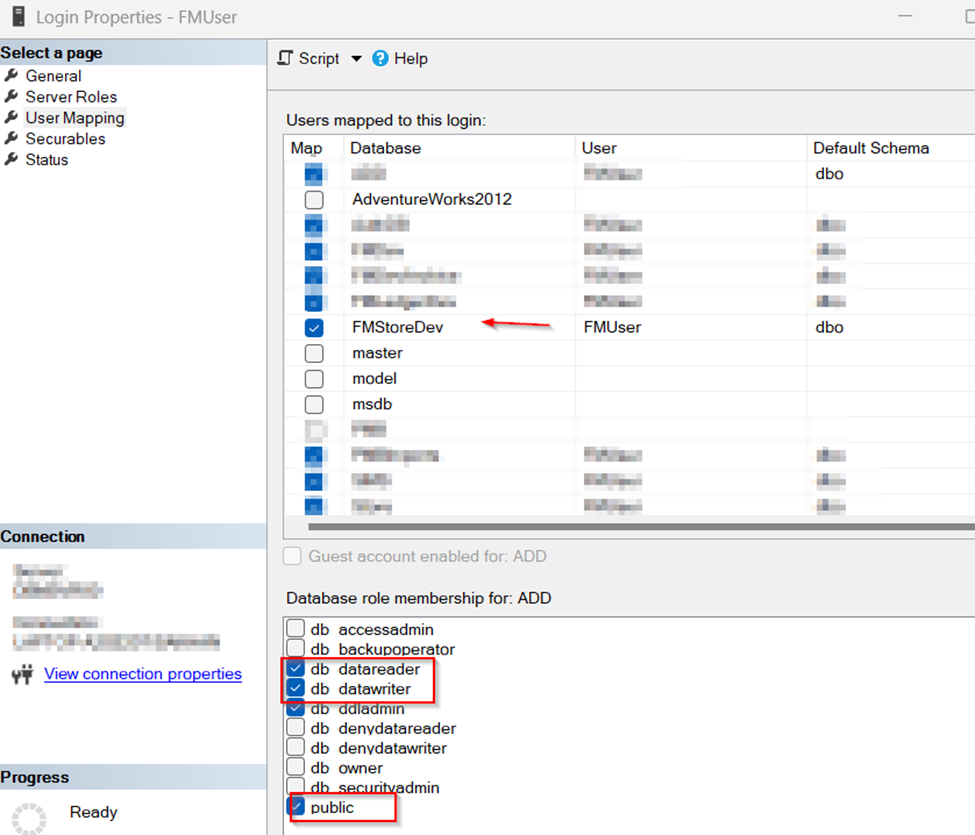
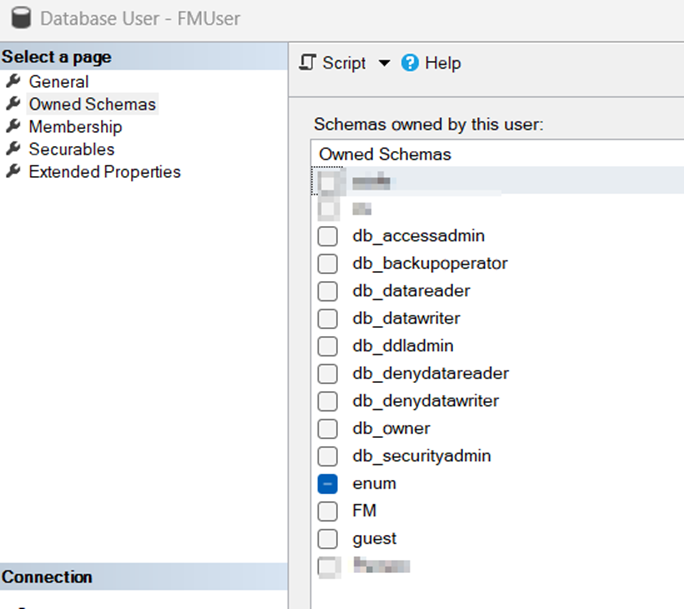
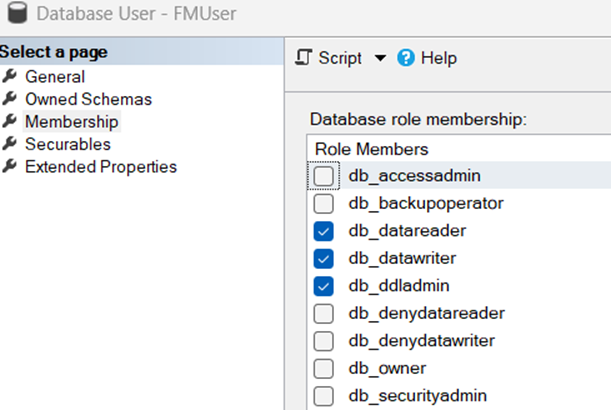
If application doesn’t run and complains about permissions e.g. Execute permission, we need to check schema permissions; One of the reason, this happens when we restore database.

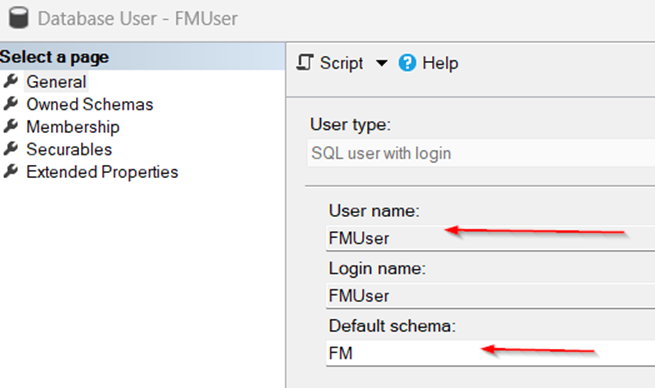
Suppose our user name is FMUser and dataase name is FMStoreDev. Under Login Properties of FM User – Security;
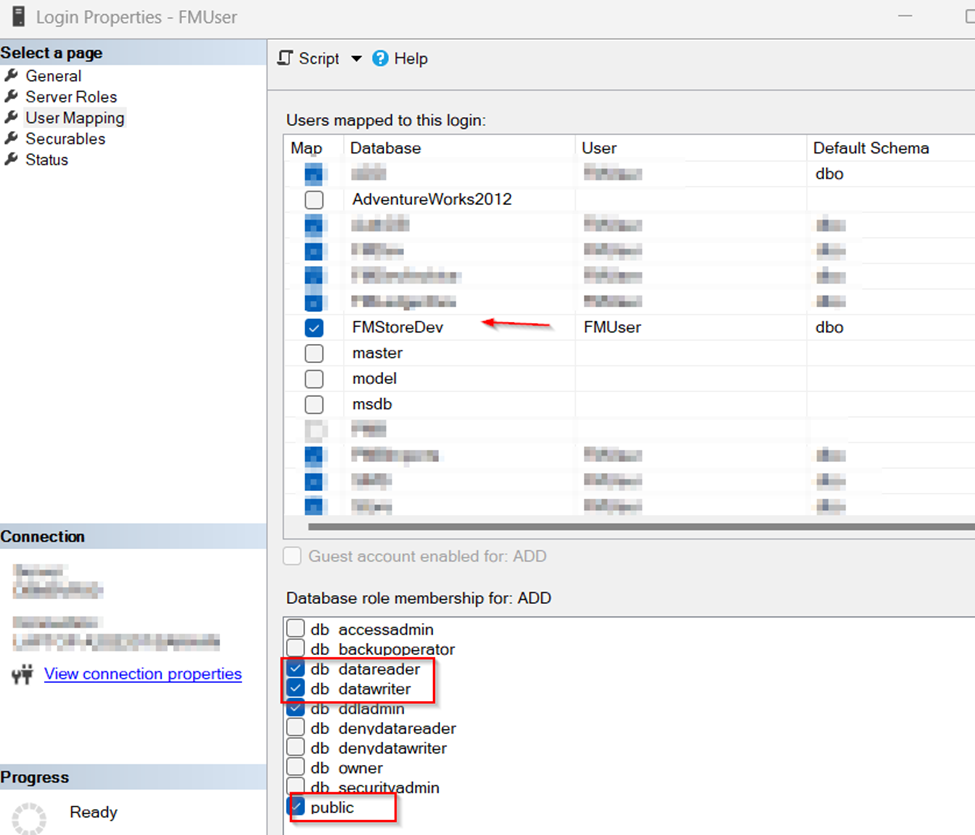
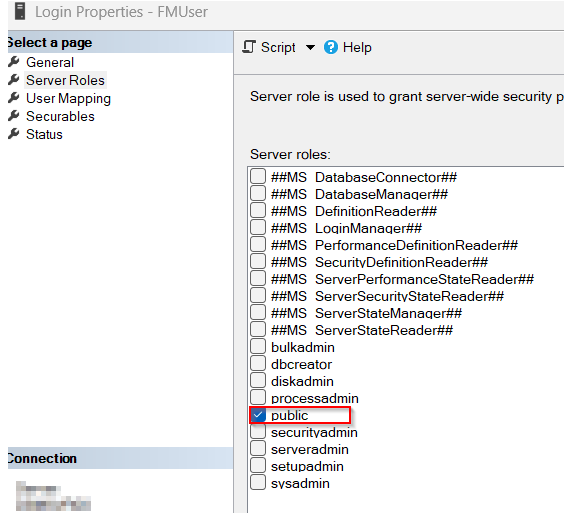
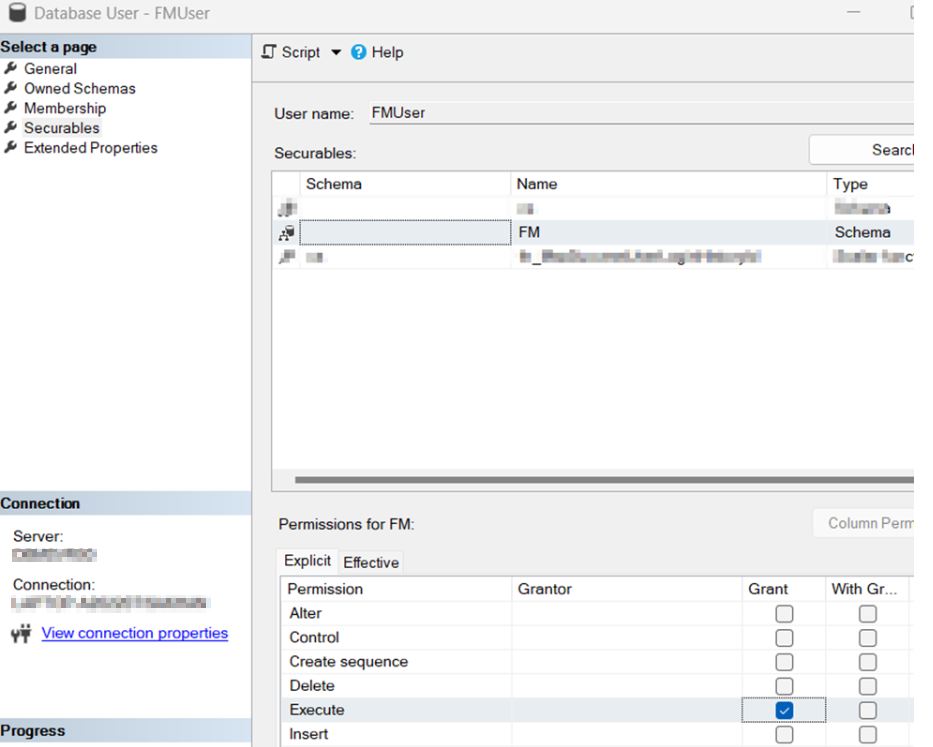
UNDER DATABASE -> USER -> SECURITY -> FMUser, CHECK THIS (in case SPROC does not run);
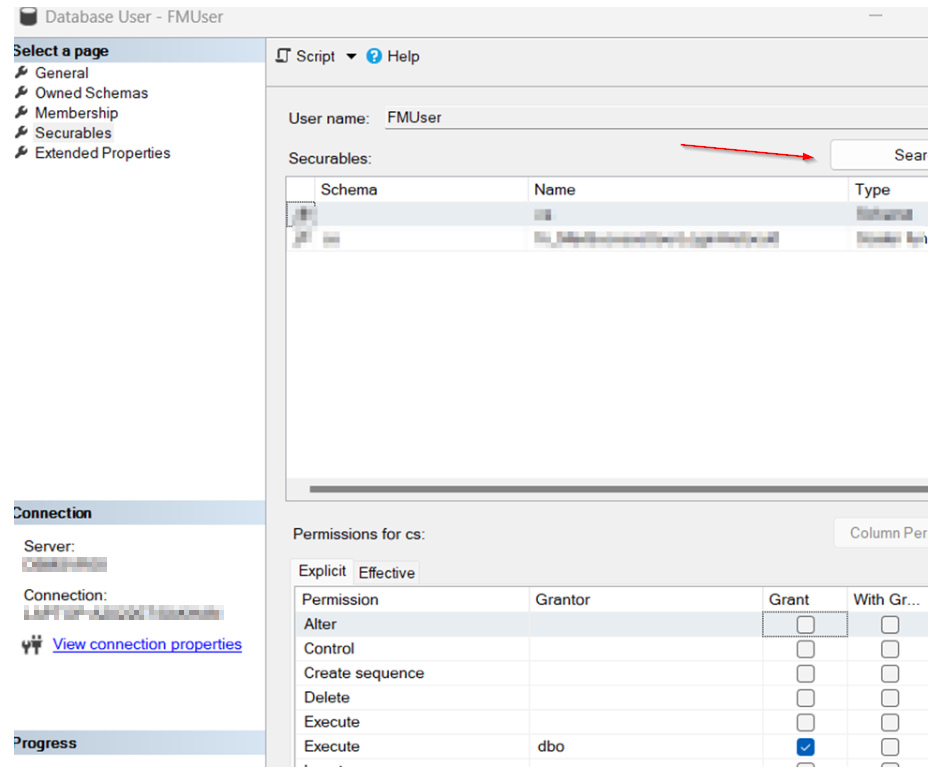
On Securables tab, click Search;
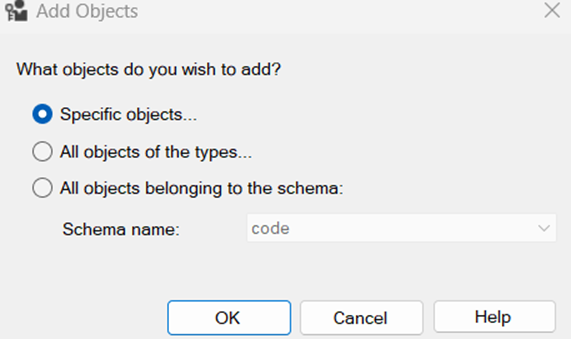
Select first option and click ok;
Click on object types and select schema;
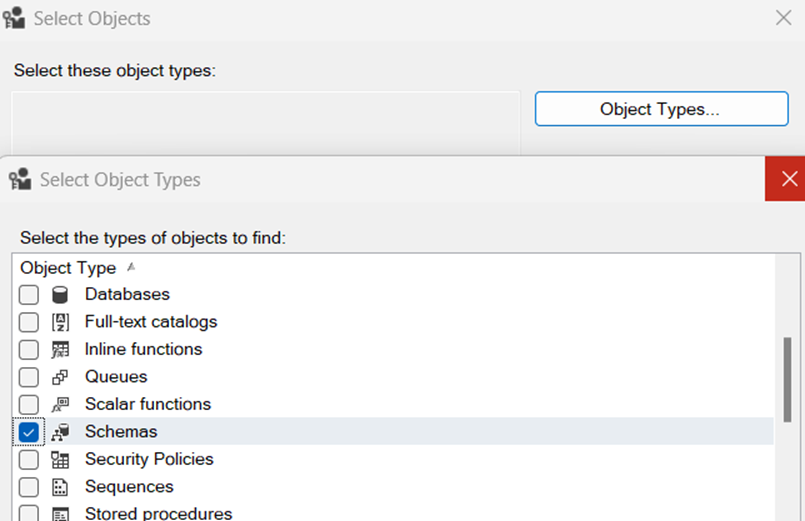
Click on Browse and select your schema;
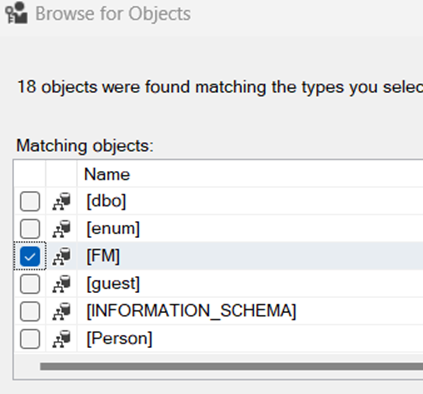
Select FM schema and grant execute permission to FMUser;
Since this is schema bound, go to securityàschema. Schema name should be your custom schema and owner should be dbo;
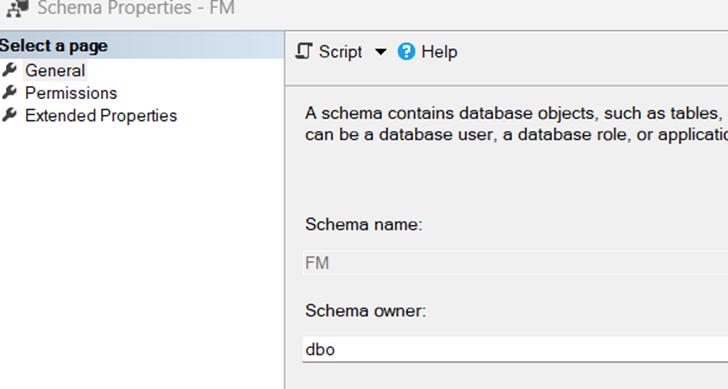
Click on Permissions tab. Make sure execute permission is selected for FM user;
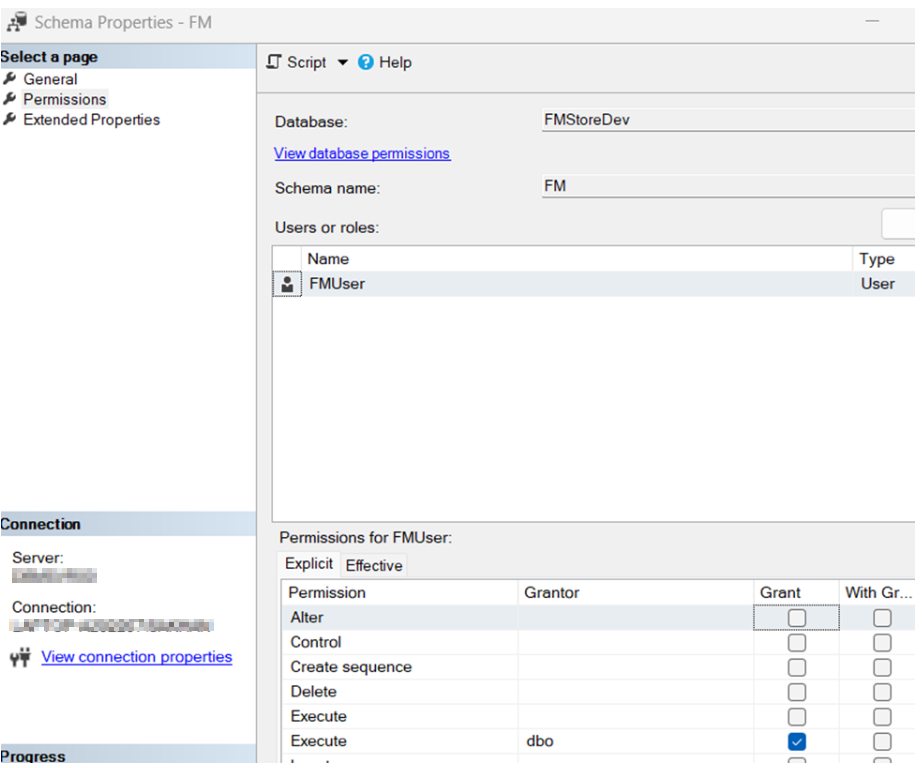
These changes will help to solve database execute permission problem.

This is an alternative of remapping the users (to restore permission) after restoring DB;

USE FMStoreDev;  
GO  
EXEC sp_change_users_login 'Update_One', 'FMUser', 'FMUser';  
GO  
SQL Server String Split and Agg function

Here is a short example. Let’s say we have this sample JSON output. We would like to split it on “}” characters;

DECLARE @json NVARCHAR(MAX) = '[{
  "text": "Books",
  "nodes": [{
	"text": "Programming Books",
	"rackNumber": "1",
	"moreInfo": [{
			"text": "C# book",
			"price": "$49.99"
		  },
		  {
			"text": "React book",
			"price": "$40.99"
		  }
		]},
		{
	"text": "Database Books",
	"rackNumber": "2",
	"moreInfo": [{
			"text": "SQL Server 2022",
			"price": "$52.99"
  		  },
		  {
			"text": "Maria database",
			"price": "$20.99"
		  }
		]}
	]
}]
'

SQL Server has some handy functions, STRING_Split, to split and to re-create, STRING_AGG. I am going to demo it here;

----split strings to make changes
IF OBJECT_ID('tempdb..#ADDF') IS NOT NULL DROP TABLE #ADDF
;WITH CTE AS
 (
	SELECT value  from STRING_Split(@json, '}')
 )
 SELECT * INTO #ADDF FROM CTE;
 //show me the JSON. The string should be split in two parts
 SELECT * FROM #ADDF

 //TODO..do whatever you want to do with the string JSON array

--return modified string. You should see a single line JSON output here 
SELECT STRING_AGG(value, '}') AS jsonBack
FROM #ADDF;

Happy coding.

JSON path is not properly formatted. Unexpected character ‘#’ is found at position 2

SQL Server has a pretty good support for JSON. If there is a special character in JSON, then it will throw this error;

JSON path is not properly formatted. Unexpected character ‘#’ is found at position 2

To produce this, here is an example

DECLARE @data NVARCHAR(50)='{"#Name":"Shahzad"}'

-- Print the current JSON
PRINT @data

-- Rename the key (by copying the value to a new key, then deleting the old one)
SET @data=
 JSON_MODIFY(
  JSON_MODIFY(@data,'$.Contractor', JSON_VALUE(@data,'$.#Name')),
  '$.#Name',
  NULL
 )
-- Print the new JSON
PRINT @data

I didn’t find any built-in support to handle these characters. The workaround I found is to simply replace special characters. Here is how;

DECLARE @data NVARCHAR(50)='{"#Name":"Shahzad"}'
DECLARE @cleanData NVARCHAR(50) = REPLACE(@data, '#Name', 'Name');
-- Print the current JSON
PRINT @data

-- Rename the key (by copying the value to a new key, then deleting the old one)
SET @cleanData=
 JSON_MODIFY(
  JSON_MODIFY(@cleanData,'$.Contractor', JSON_VALUE(@cleanData,'$.Name')),
  '$.Name',
  NULL
 )
-- Print the new JSON
PRINT @cleanData

And the output is;

{“#Name”:”Shahzad”}
{“Contractor”:”Shahzad”}

References

https://learn.microsoft.com/en-us/sql/t-sql/functions/json-modify-transact-sql?source=recommendations&view=sql-server-ver16

Database Guides

Computer Graphic Cards

DirectX 12 Ultimate is the new gold standard for gaming graphics on both PC and the next generation of Xbox consoles:

DirectX is a technical tool that helps game developers interact with sound and graphics cards. Although it can be installed on any computer, most users won’t ever need it. It runs when you play a game made with DirectX and that’s it. You’re only going to need to get to know it better if you want to program with it yourself. It has one of the most agile runtime processes amongst this category.

Reference 

https://devblogs.microsoft.com/directx/directx-12-ultimate-for-holiday-2020/