
evelopers can now perform Code Cleanup automatically when a file is being saved! Code Cleanup automatically on Save is a new feature integrated into Visual Studio 2022 that can clean up your code file to make sure it is formatted correctly and that your coding style preferences are applied. Some customizable preferences include: format document, sort usings, remove unnecessary usings, and more. This feature can help minimize stylistic violations within PRs and more to allow developers to spend less time fixing code not meeting specific standards and more time doing what they do best.
How to enable Code Cleanup on Save
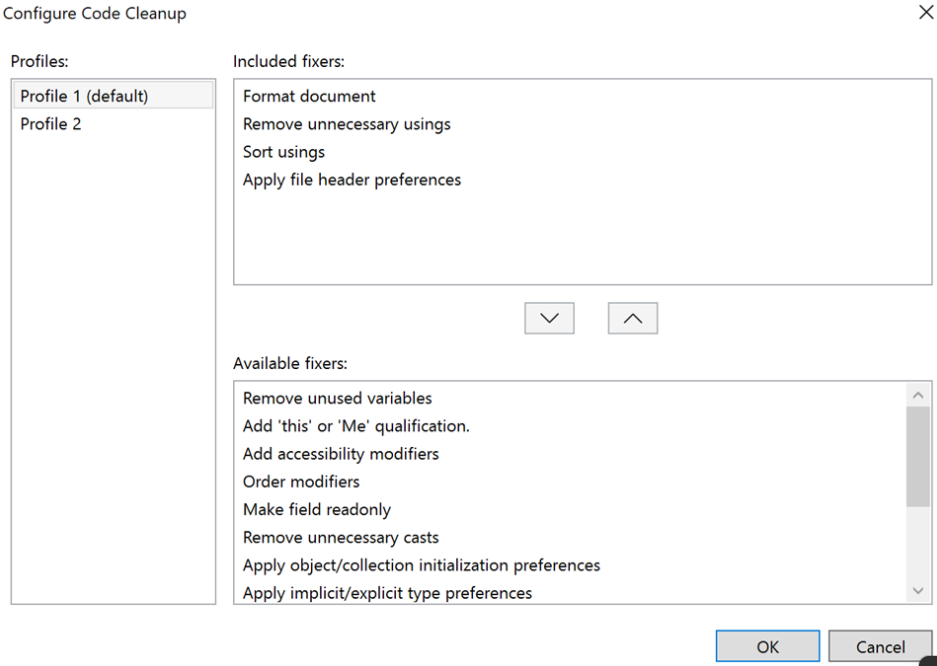
First, navigate to Analyze > Code Cleanup > Configure Code Cleanup to personalize desirable customizations to your code cleanup profile(s).
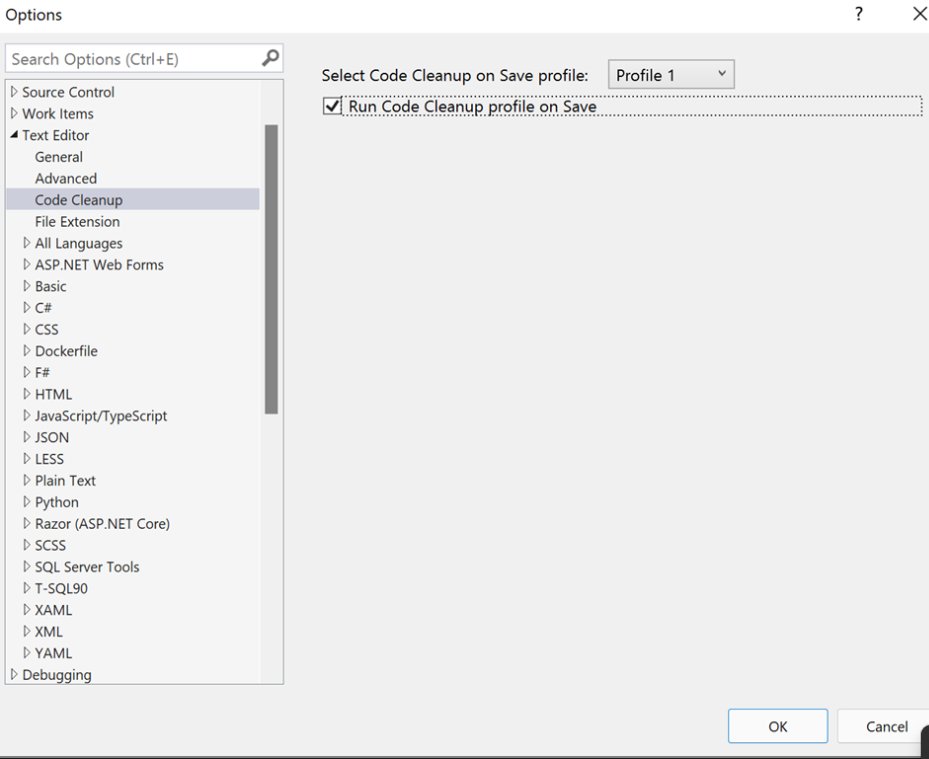
Next, navigate to Tools > Options > Text Editor > Code Cleanup. Add a check in the “Run Code Cleanup profile on Save”. Be sure to select the appropriate profile you want to execute automatically whenever you save!
Try it out and share your feedback!
We would love to get your feedback on Code Cleanup on Save so please give it a try and let us know what you think! You can share any feedback via Developer Community to help us make Visual Studio better for you!

 Add to favorites
