
I would like to continue a Foreach loop container even if a task, for example, script task fails. Here is a quick fix;
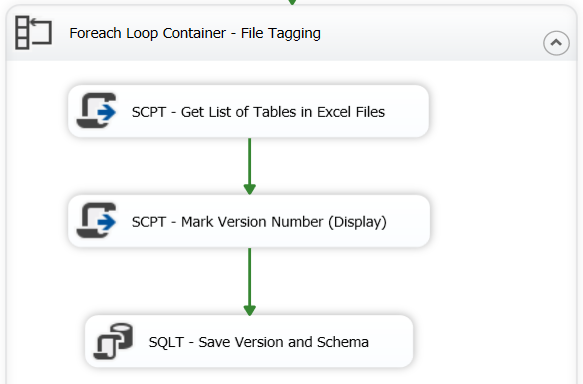
Press F4, this will bring up Properties window. Change “ForceExecutionResult” property to “Success”.
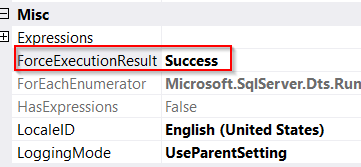
Foreach loop will continue even if script task inside fails.
The recommended way to get a good error message from script task, decorate them with try/catch block. Here is an example;
try
{
   var x = 1/0;
}
catch (Exception ex)
            {
                var message = $"my error. ERR: {ex.Message.ToString()}";
                Dts.Events.FireError(1, ex.TargetSite.ToString(), message, "", 0);
                Dts.TaskResult = (int)ScriptResults.Failure;
            }
These are good references on the topic;
https://richardswinbank.net/ssis/errors_in_script_tasks_and_components

 Add to favorites
