
To import large text including special and foreign characters using Flat File follow this;
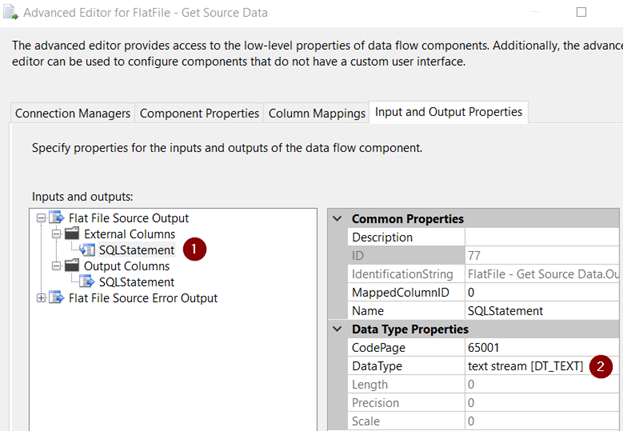
External Column = Text_Stream (DT_TEXT)
Output Column = Unicode Text Stream (DT_NTEXT)
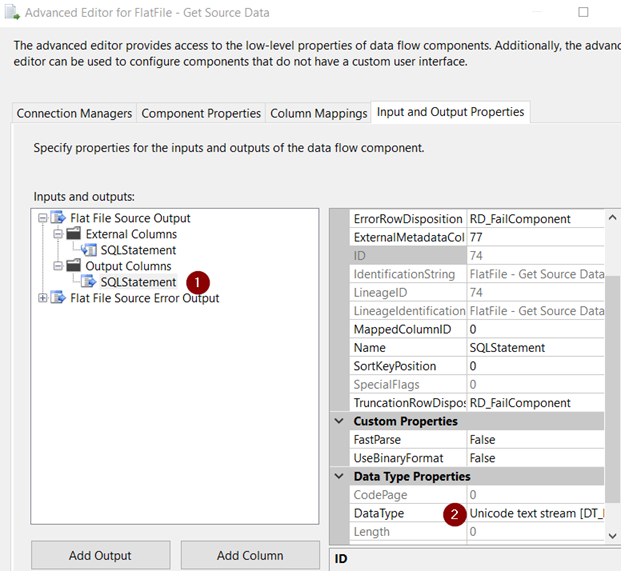
This can handle up to 11000 characters. I think it’s more than sufficient. Make sure your SQL Database has NVARCHAR(MAX) column data type.
This will work if the column has 11000 characters or 1 character. It wouldn’t break the way Excel BLOB columns break. In Excel if the source column is configured as DT_NEXT and data is 1 character, the process blows up.
Read this article, how to configure Excel.

 Add to favorites
