
SQL Server integration services environment setup

These are required steps;

  1. SQL Server Integration Services

Install Integration Services

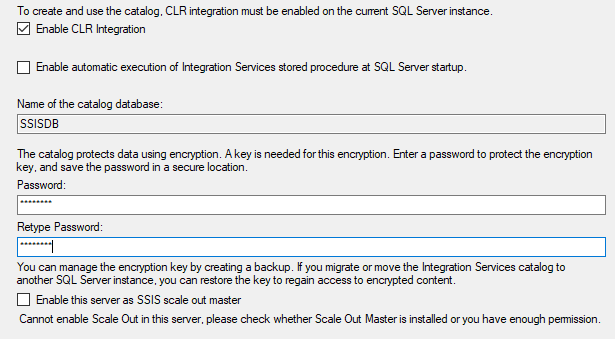
  1. Create SSIS DB Catalog using SQL Server Management Studio

Create and Configure SSIS Catalog
  1. Microsoft Access Database Engine 2016 Redistributable (ACE driver for Excel Files)

Install Microsoft Access Database Engine 2016 Redistributable

  1. A domain account that has read/write/delete permission to file system.

This will be used as a proxy account. This is required because SSIS Packages will run from SQL Server Agent and the job will fail because of security context.

FavoriteLoadingAdd to favorites

RECENT POSTS


Categories


Tags

ADO ai angular asian asp.net asp.net core azure ACA azure administration Azure Cloud Architect Azure Key Vault Azure Storage Blazor WebAssembly BLOB bootstrap Branch and Release flow c# c#; ef core css datatables design pattern docker excel framework Git HTML JavaScript jQuery json knockout lab LINQ linux powershell REST API smart home SQL Agent SQL server SSIS SSL SVG Icon typescript visual studio Web API window os wordpress


ARCHIVE


DISCLAIMER